


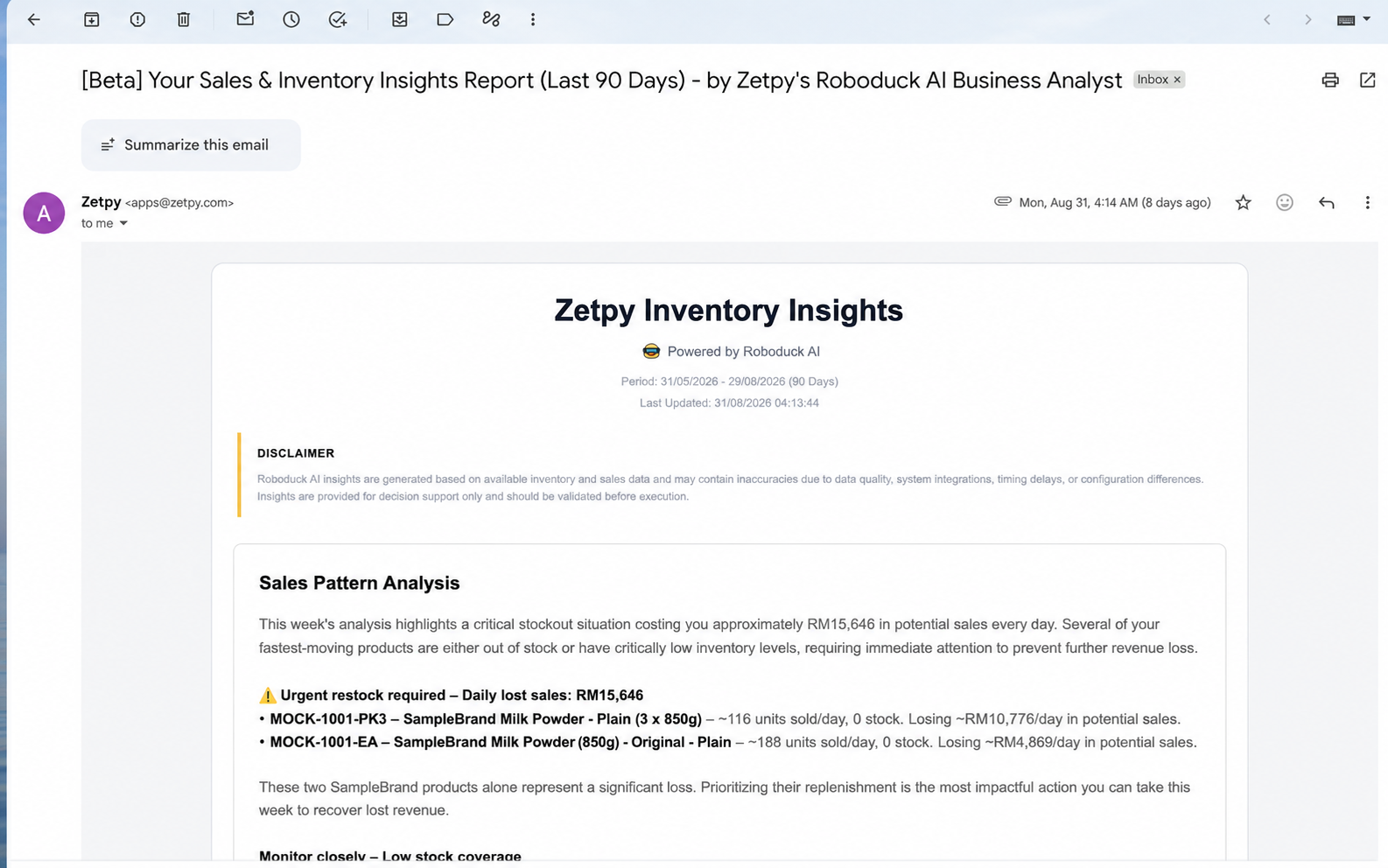
With Inventory Insight Email, Zetpy automatically analyses your past 90 days of stock movement and sends you a weekly email with useful stock insights.
It helps you quickly see:
90-day stock movement analysis
Products that may need restocking
Fast-moving products
Slow-moving products
Inventory trends based on recent stock movement
Usage cost: 10 zCredits per weekly emails sent.
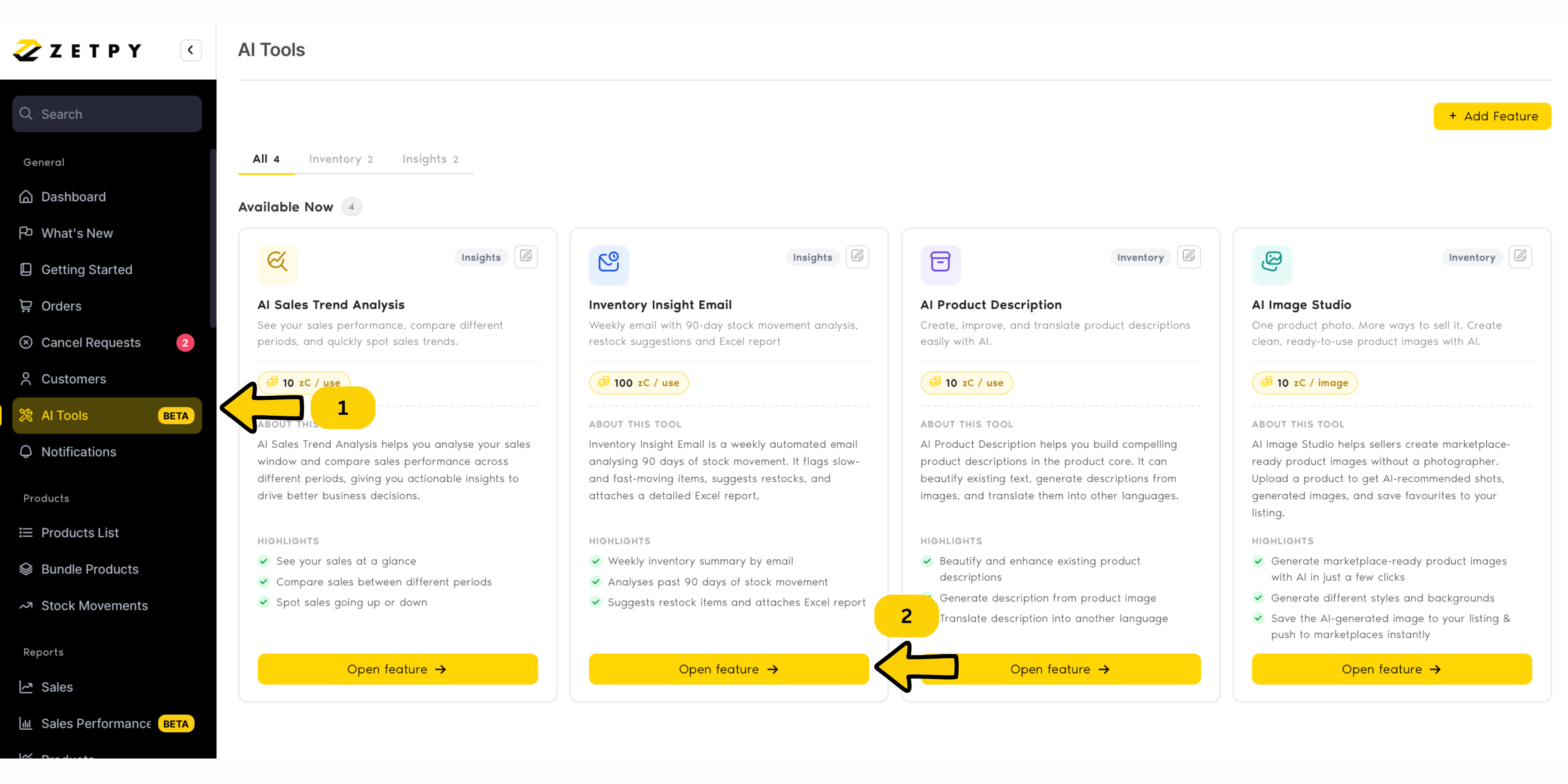
Step 1: Go to the Notification Page
Log in to your Zetpy account and go to the Notification page.
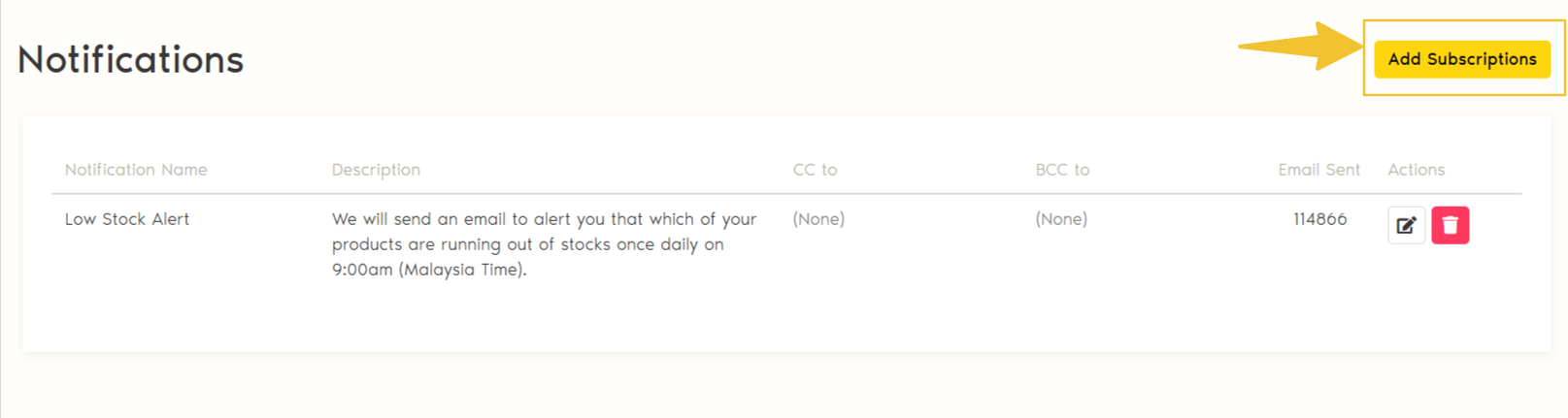
On the Notification page, click Add Subscription
This will open the available email subscriptions.
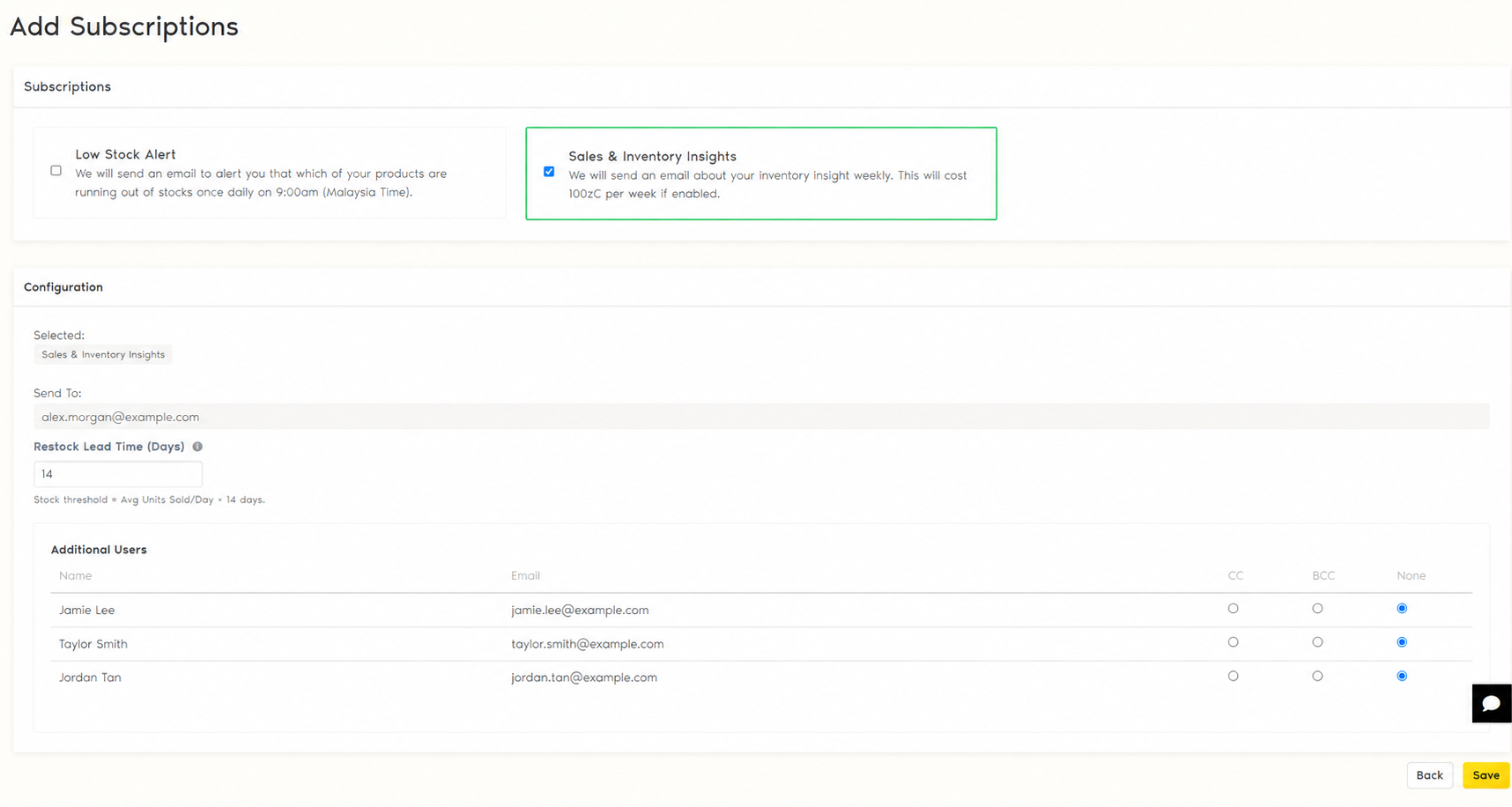
Step 2: Select Sales & Inventory Insights
Under Subscriptions, find Sales & Inventory Insights
Tick the checkbox to enable it.
Once selected, the configuration options for your Inventory Insight Email will appear below.
Under Send to, you can see the main email address that will receive the weekly Inventory Insight Email.
Make sure the email address is correct before activating the subscription.
Step 4: Set Your Restock Lead Time
Next, set your preferred Restock Lead Time (Days).
The Restock Lead Time tells Zetpy how far ahead you normally want to prepare for restocking.For example: If your supplier normally takes around 14 days to deliver new stock, you can set your Restock Lead Time to: 14 days
Zetpy will use this setting together with your product's sales movement to help identify products that may need restocking.
Step 5: Add Additional Email Recipients (Optional)
Want your team members to receive the same Inventory Insight Email? This is available for the Zetpy plan with more than 1 user.
Under Additional Users, choose how each user should receive the email:
CC — The user receives a copy of the email and is visible to other recipients.
BCC — The user receives a copy, but their email address is hidden from other recipients.
None — The user will not receive the email.
This is useful if your purchasing, inventory, warehouse, or management team also needs to review the weekly inventory insights.
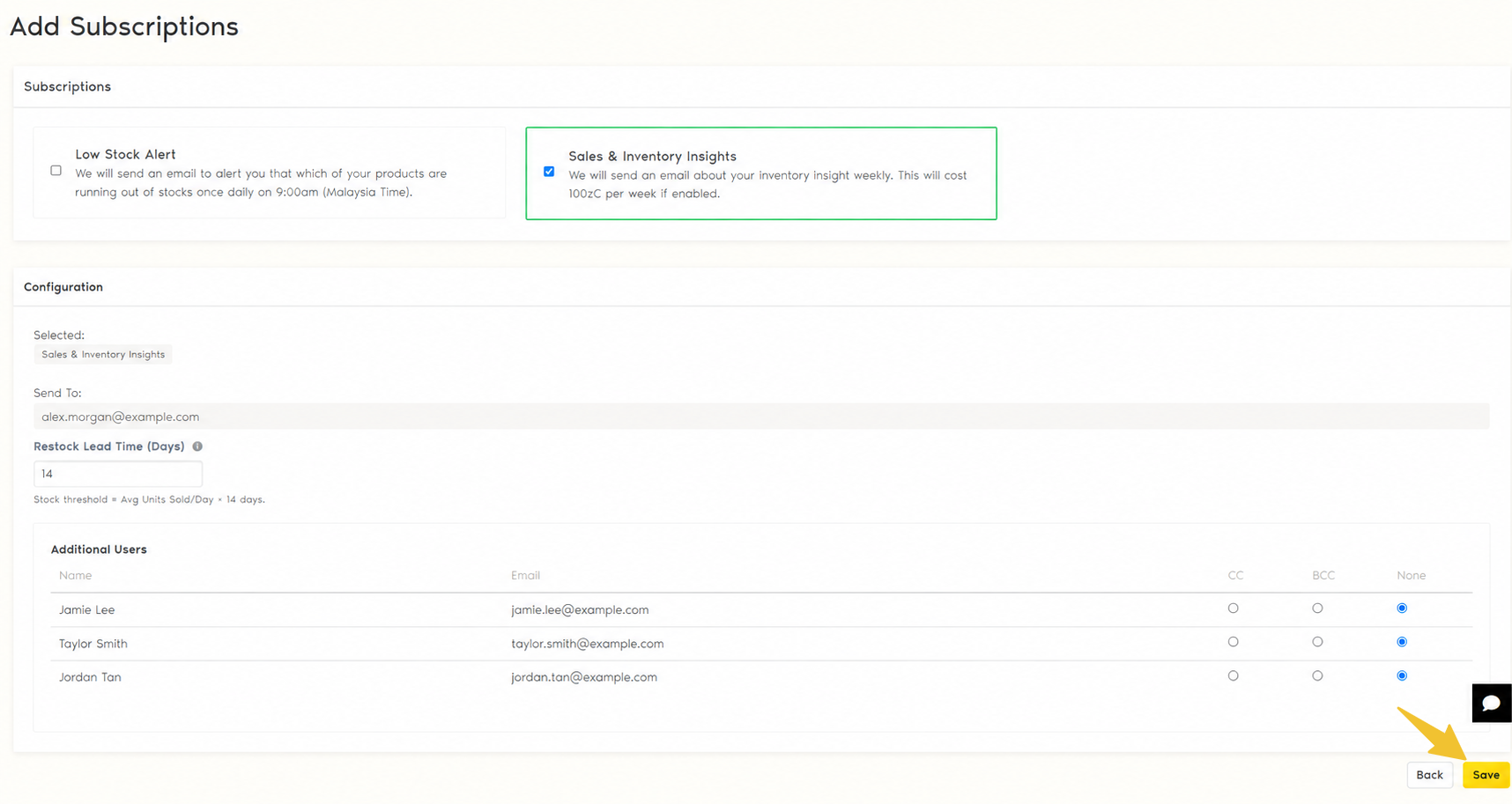
Once you've finished your settings, click Save. Your Sales & Inventory Insights subscription will be activated.
You don't need to manually generate the report every week. Zetpy will automatically prepare and send the Inventory Insight Email every Monday.
Sample Zetpy Inventory Insight Email received as below:
Important
Inventory insights and restock suggestions are provided to help you review and plan your stock. Before placing a purchase or restock order, always check your latest inventory, incoming stock, promotions, and other factors that may affect demand.
Should you require any further assistance, feel free contact our support team at support@zetpy.com