

Log in to your Zeoniq portal > Miscellaneous > Product Item Listing
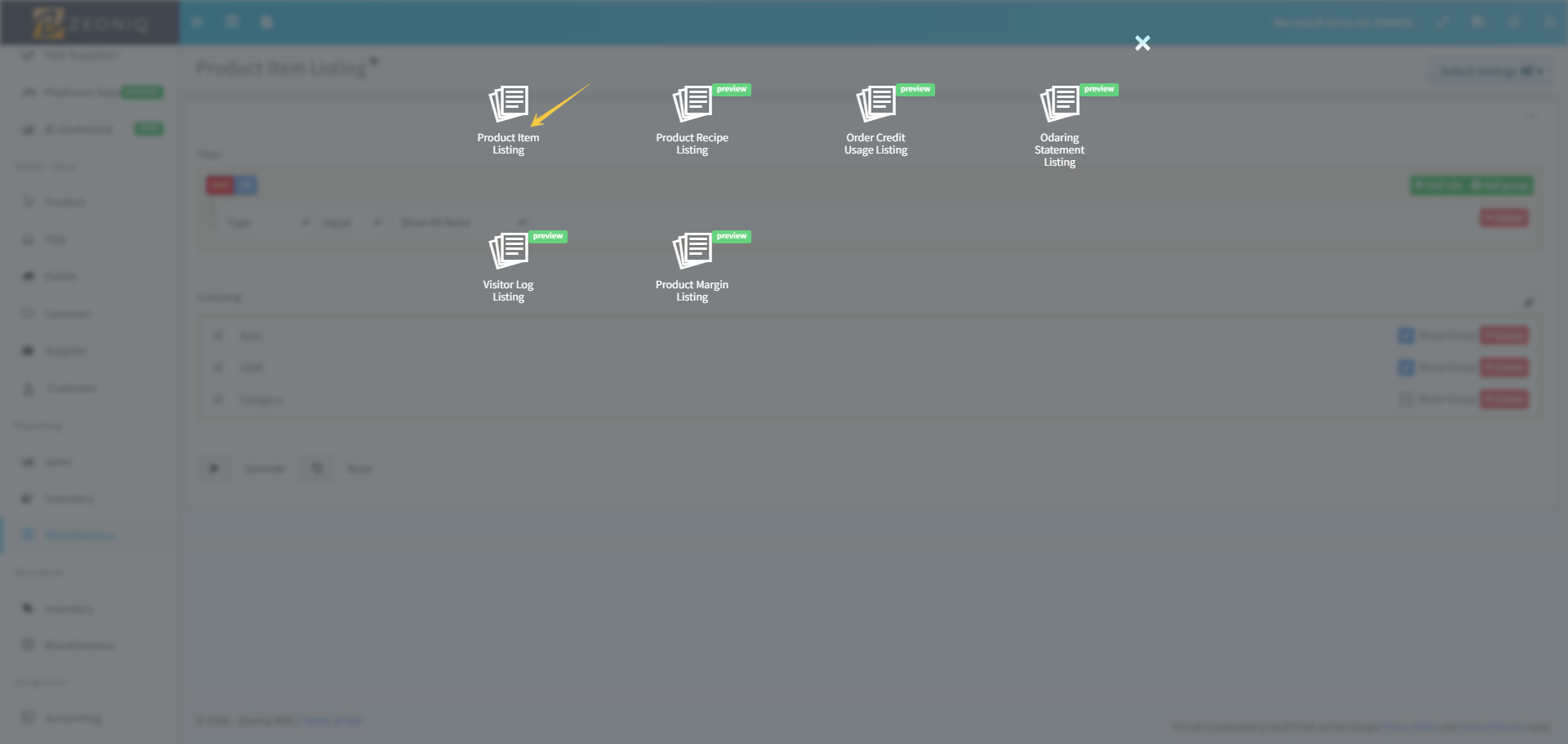
Drag & Drop the Category from bottom row to the top row and select it as below:
Selected the show group for both Category and Item.
Lastly, click on Generate.
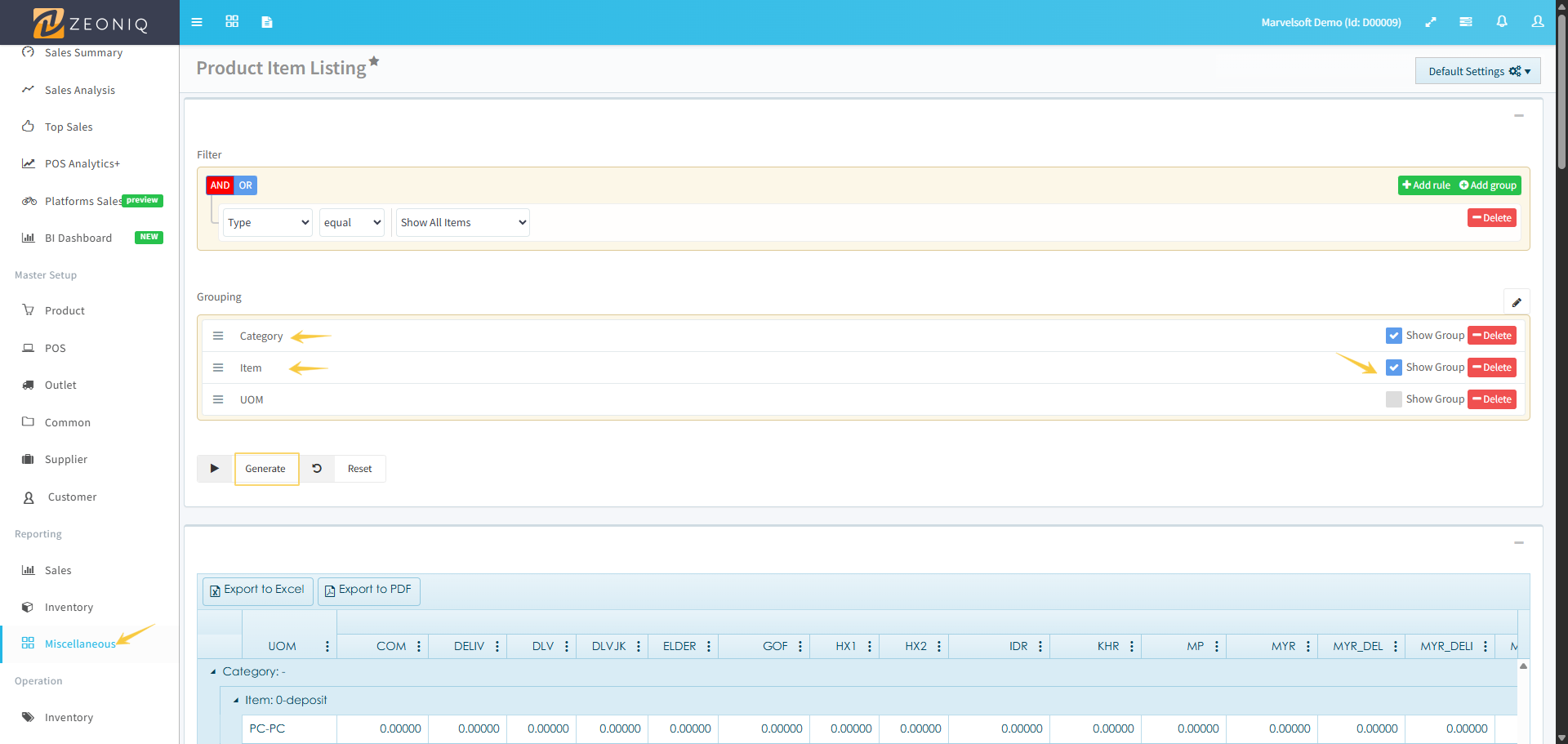
After the product list is generated in the table below:
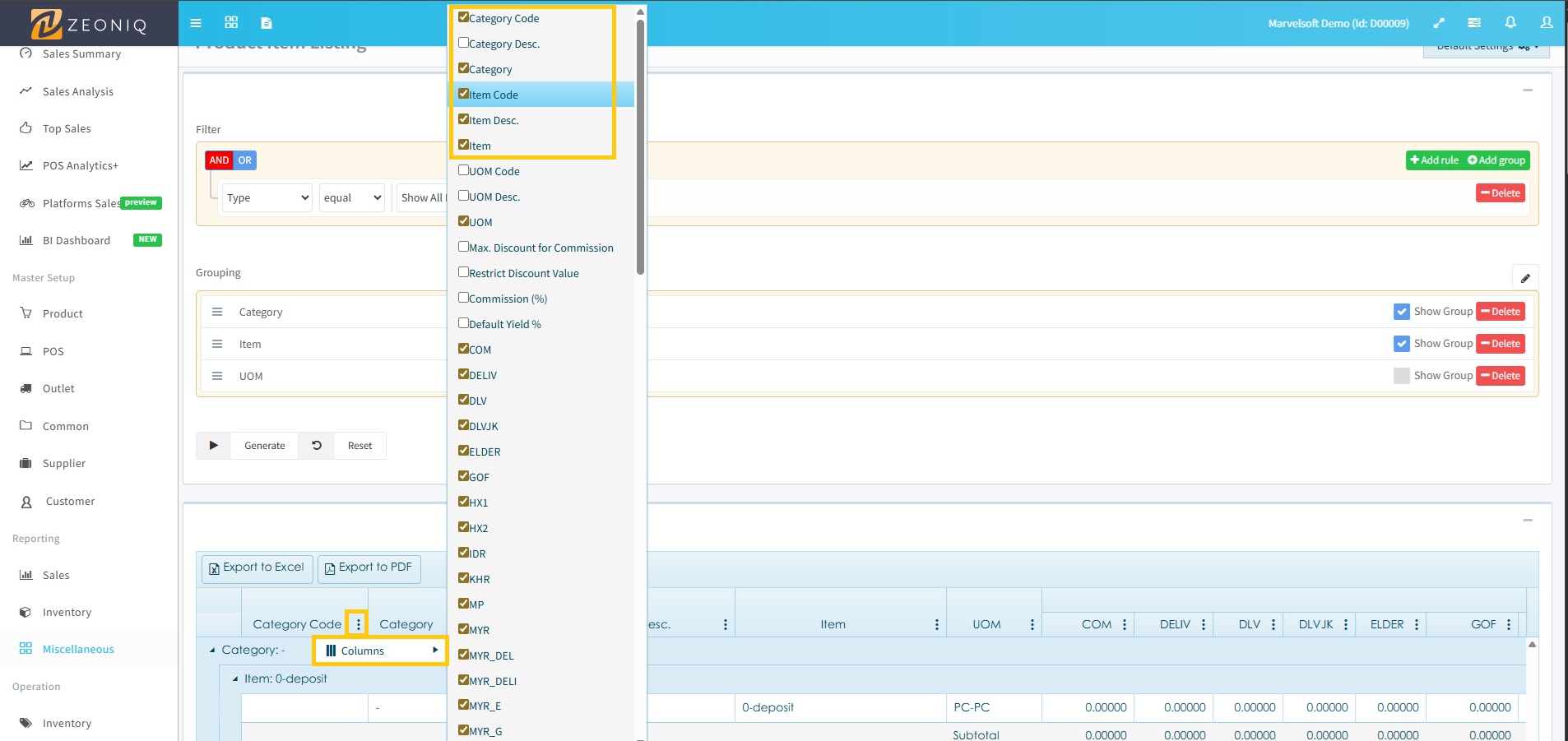
Click on the Column > select :
Item Code
Item
Item Description
Category code
Category
For those default selected columns, can remain them.
Lastly, click 'Export to Excel'.
Save the exported Excel file to your pc.