

This feature fully supports sellers operating in:
Malaysia (MY)
1. Log in to Zetpy and go to the Shopee plugin.
2. Click on the Discount Promotion button at the top-right of the page.
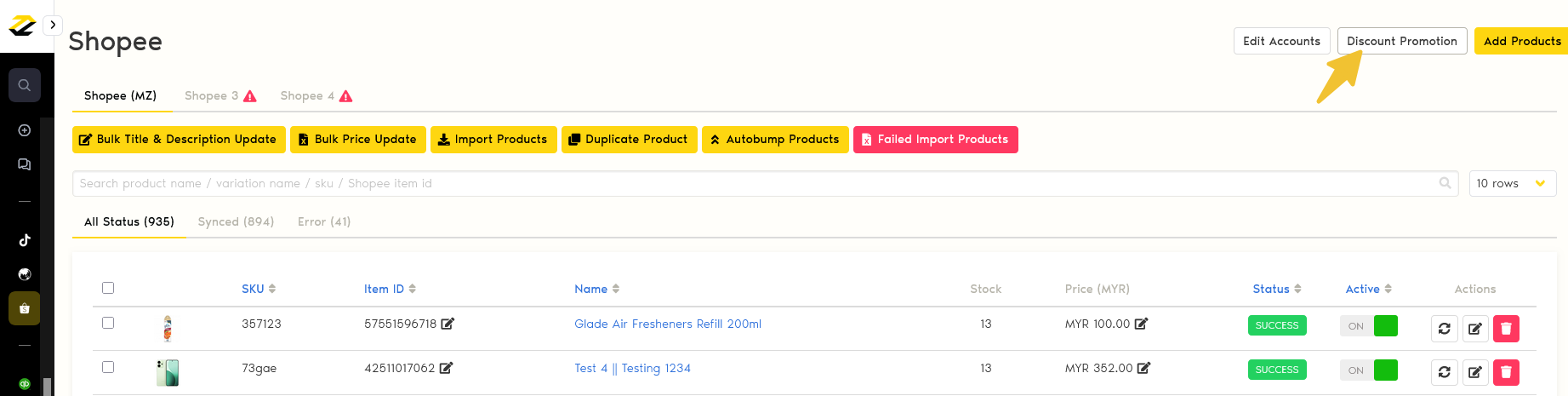
3. There are 2 methods to manage Shopee Discount Promotion in Zetpy:
Method 1: Import Existing Discount Promotions
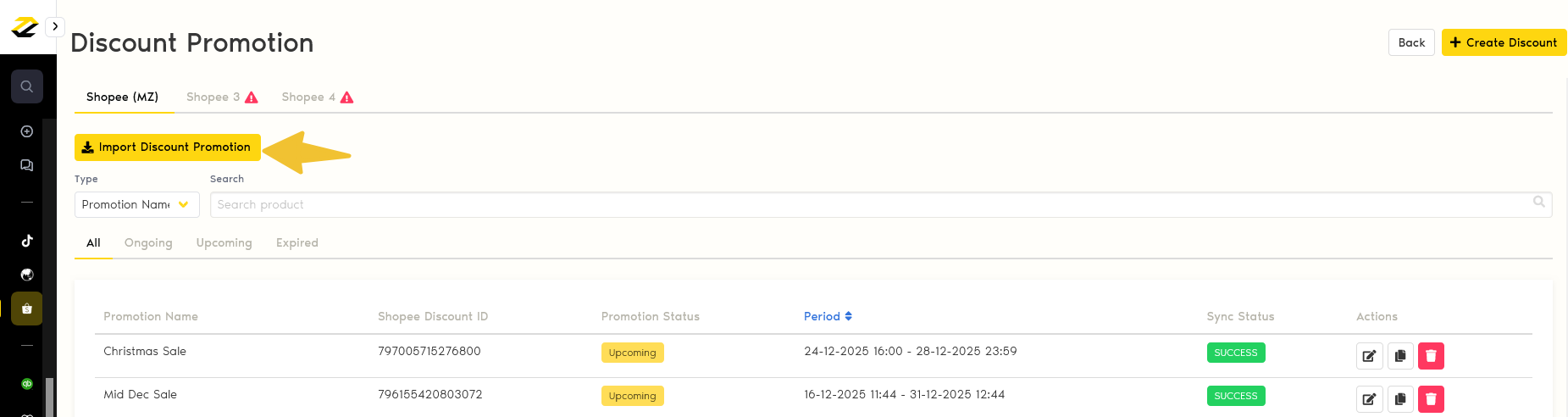
a. Import Discount Promotion: If you have already set discount promotions in your Shopee Seller Center, you can import them into Zetpy.
Method 2: Create & Sync New Discount Promotion
b. Create Discount: Create the new Discount Promotion in the Zetpy Shopee plugin, then sync it to your Shopee Seller Center.
Method 1: Import Existing Discount Promotion
Click on the Import Discount Promotion button, and all of the existing discount promotions created in Shopee Seller Center will be imported into Zetpy.
Method 2: Create & Sync New Discount Promotion
1. Click on + Create Discount to create a new discount promotion & sync to Shopee seller center.
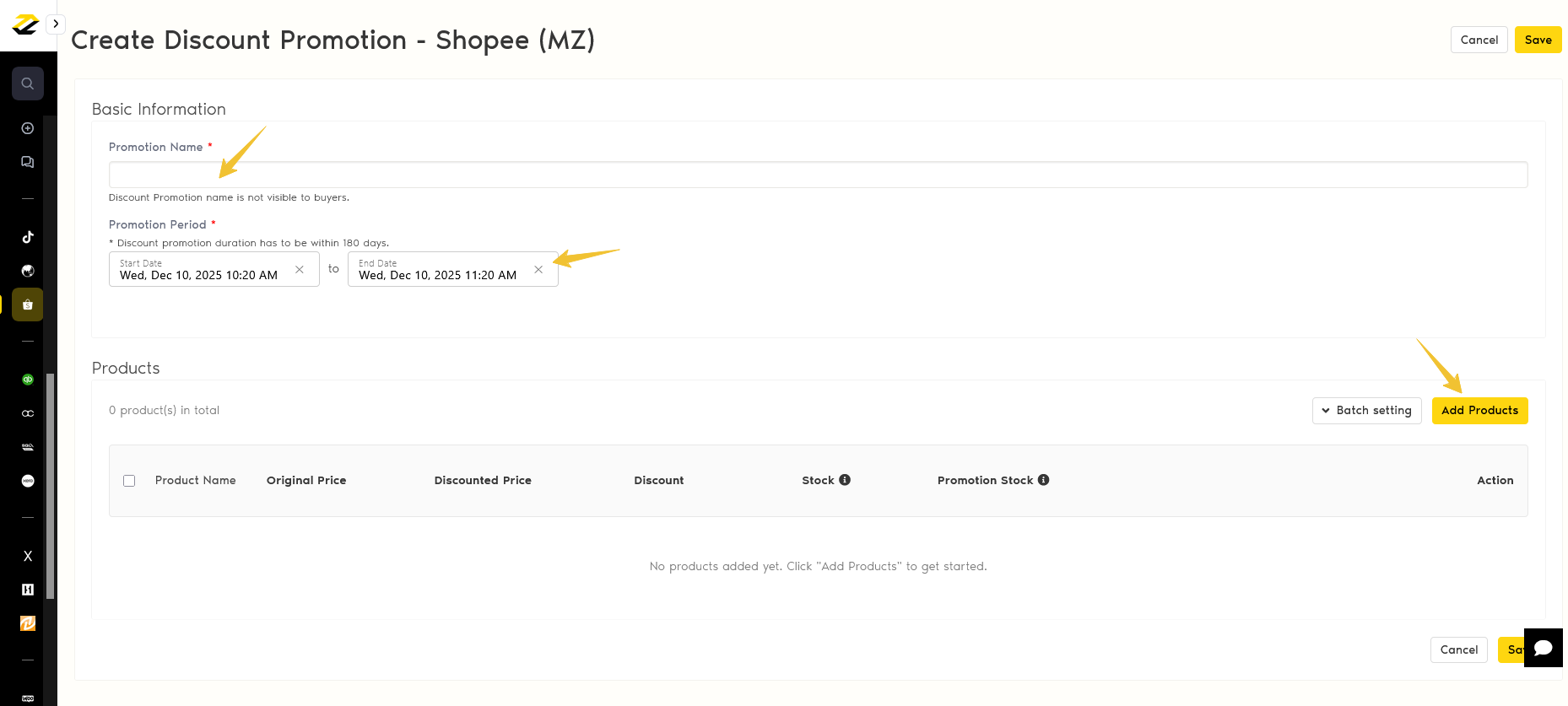
Fill in the promotion details:
Promotion Name: fill in any name for seller's reference only.
Promotion Period: fill in the promotion start time and end time.
Note: Discount Promotion durations have to be within 180 days.Add Products: add products to this discount promotion list.
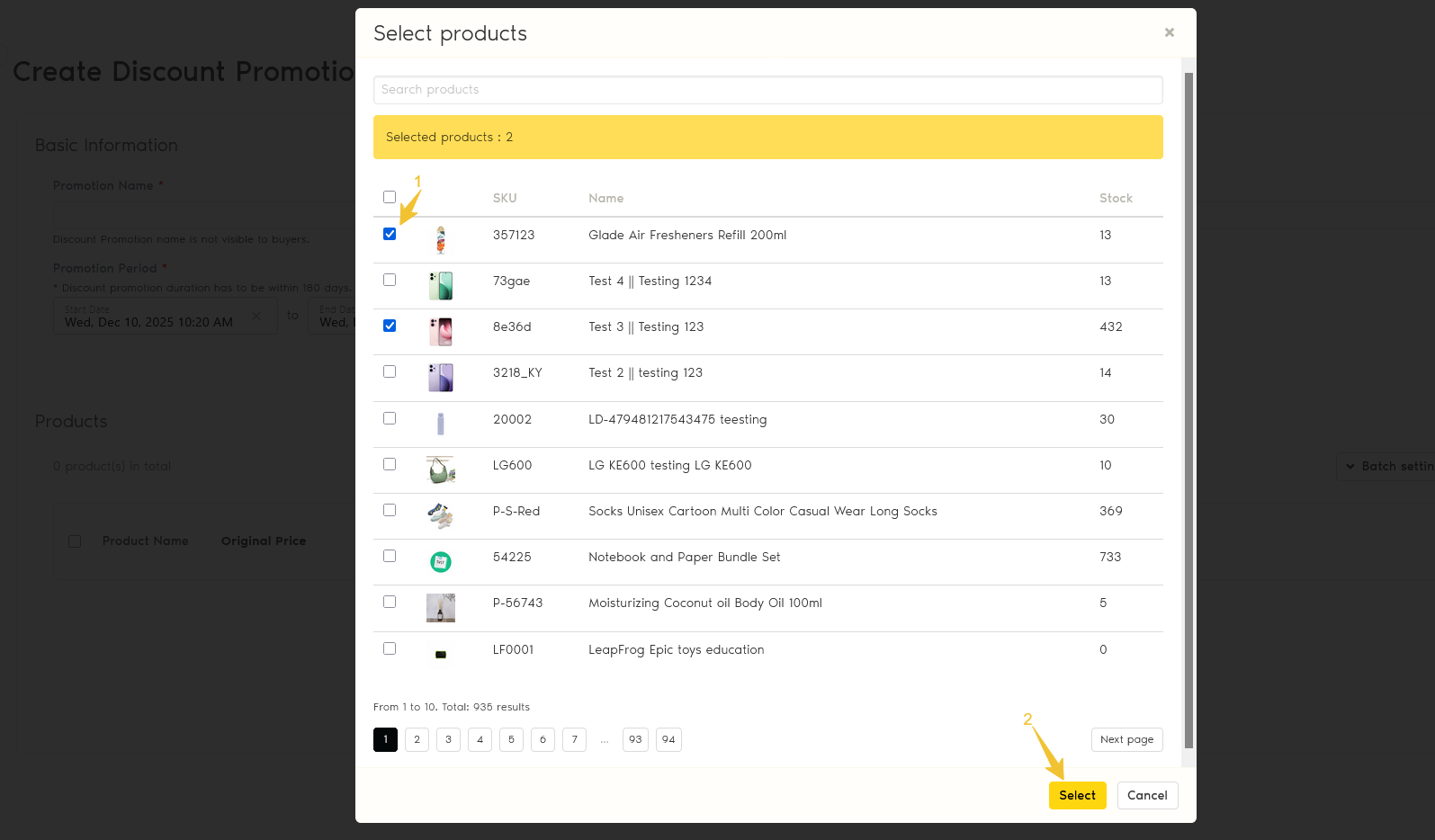
3. Select eligible products for your Discount promotion.
Use the search function to find your product.
Click on each product to select products individually by ticking the checkbox.
After selecting products, click Select button to add products.
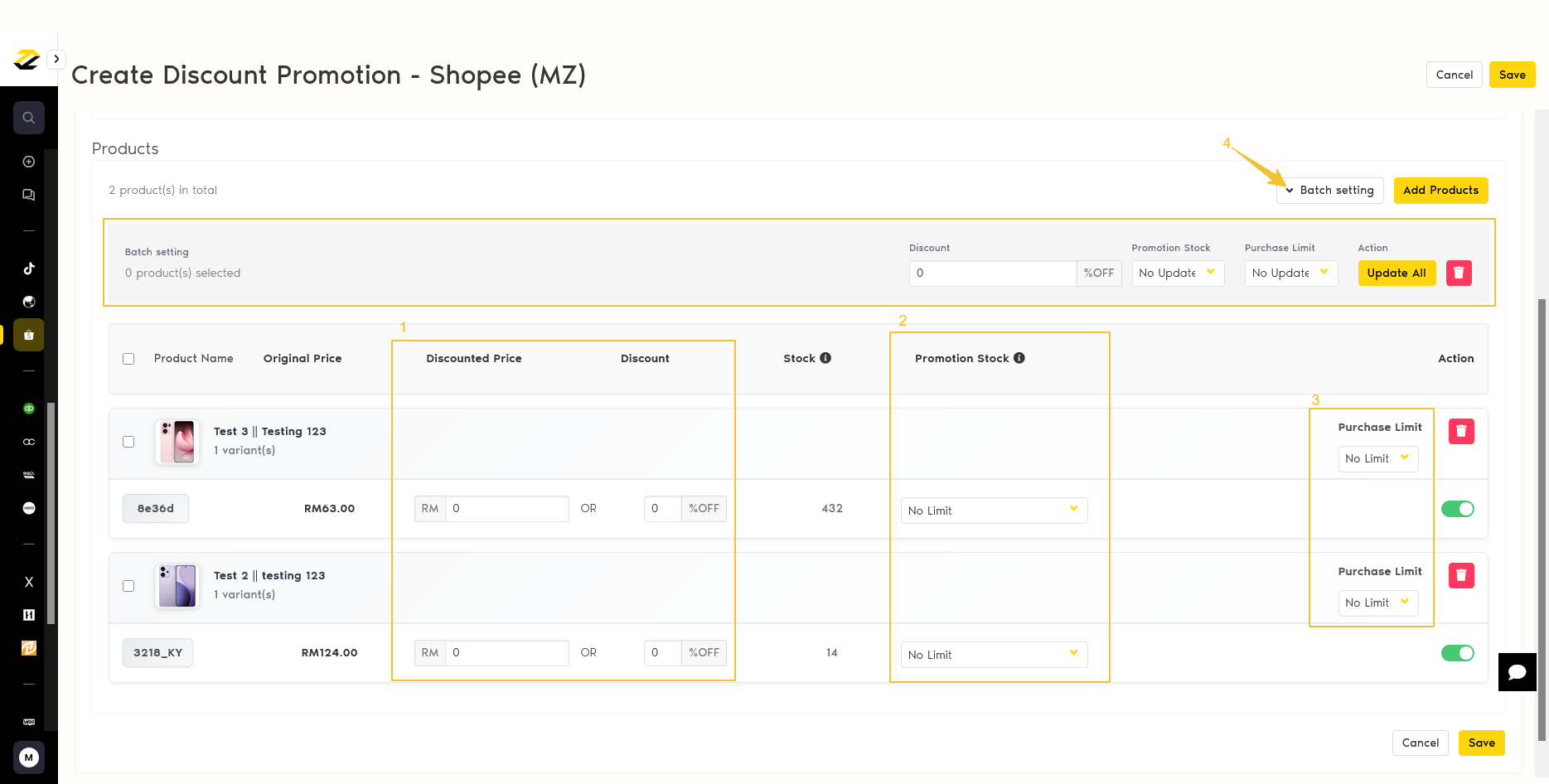
4. Input details for the specific products:
Discounted Price or Discount Percentage.
Promotion Stock: to reserve the quantity for this discount promotion
Purchase Limit: to restrict the quantity each shopper can buy.
Batch Setting: Apply discounts to all or multiple products via batch setting.
5. Lastly, click on the Save button. The discount promotion will be synced to the Shopee Seller Center. You can see the Sync Status is Success.
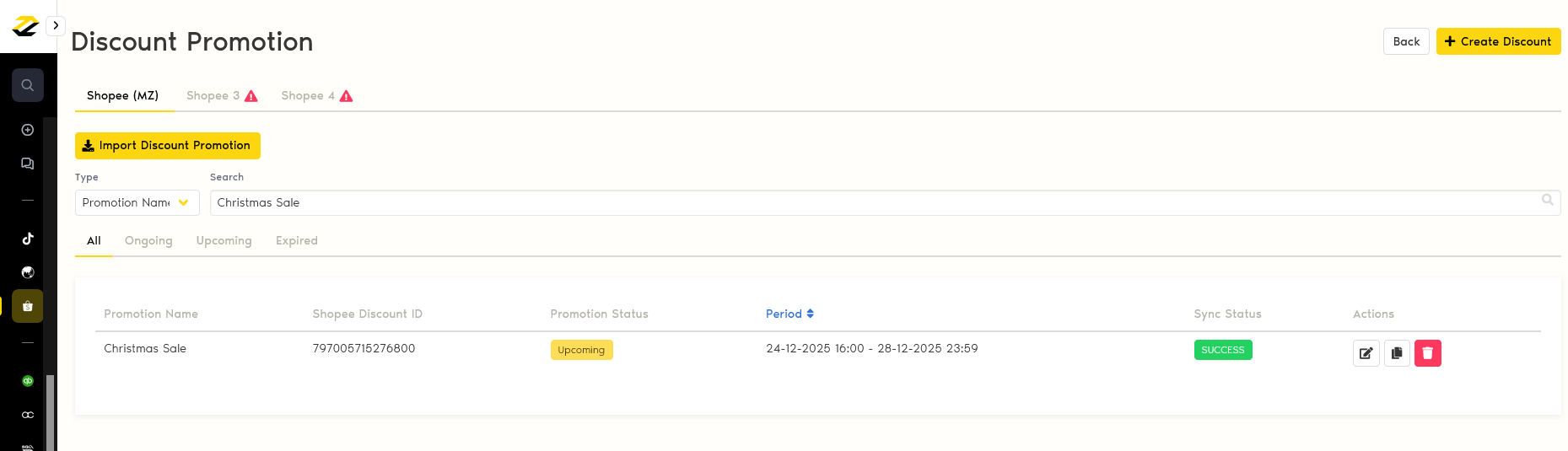
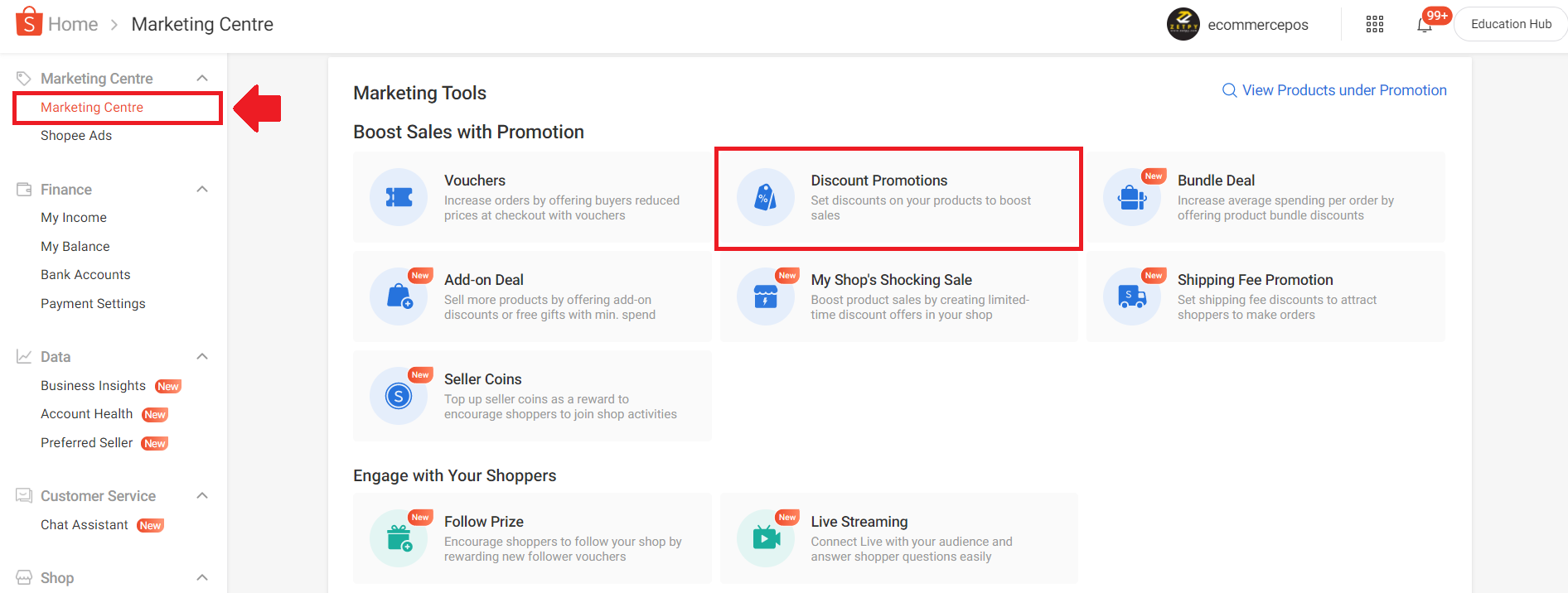
6. You can check that the discount promotion is synced to your Shopee Seller Center.
Go to Shopee Seller Centre > Marketing Centre > Discount Promotions.
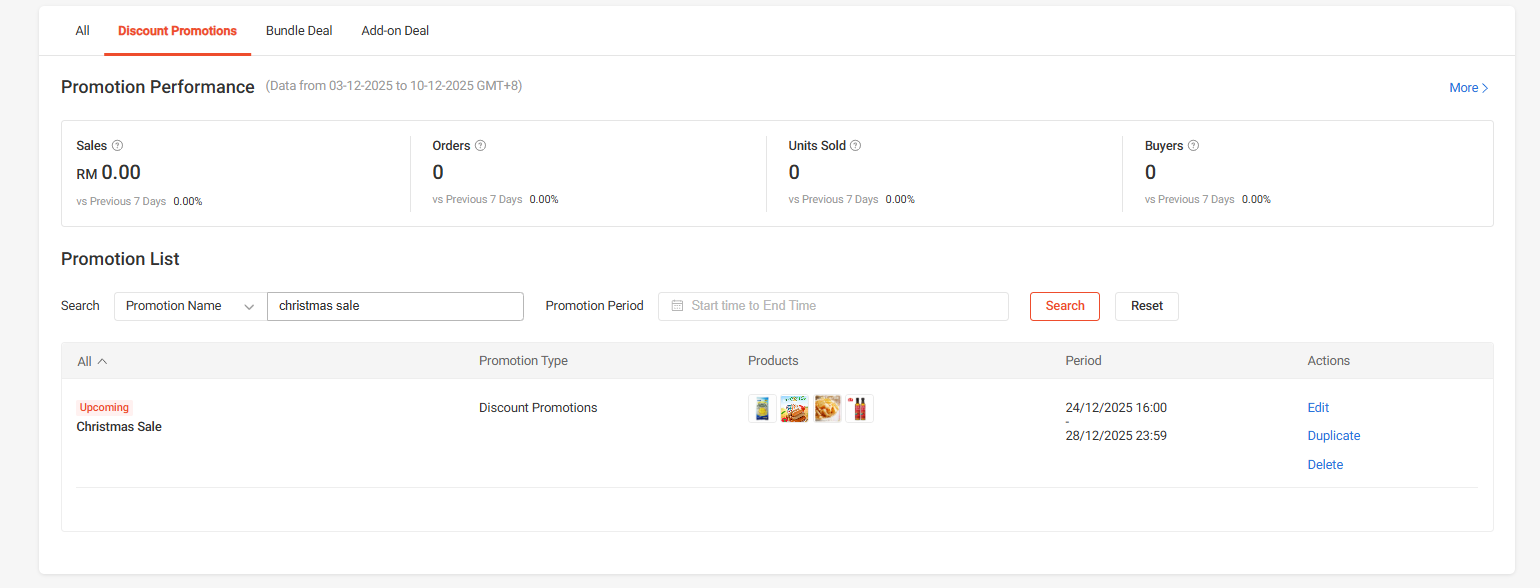
7. You can see the discount created successfully.
If you have any issues or questions, please drop us an email at support@zetpy.com